|
Navigation: Manifests > Open Manifest > Manifest - Consignments |

|

|

|

|
|
Navigation: Manifests > Open Manifest > Manifest - Consignments |
|
|
|
|


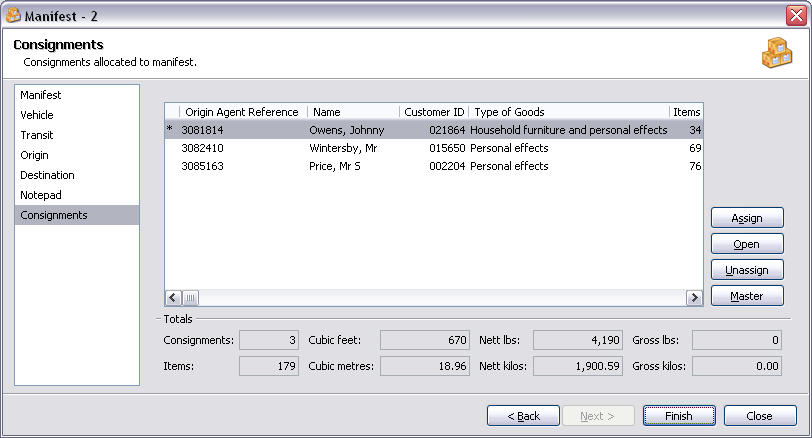
Consignments Controls:
| Assign | Assign a consignment to the manifest. |
| Open | Open the highlighted consignment (see - Open International Consignment). |
| Unassign | Unassign the highlighted consignment from the manifest. |
| Master | Assign the highlighted consignment as the master shipper. |
Totals Fields:
| Consignments | Total consignments. |
| Items | Total quantity of items. |
| Cubic feet | Total volume of effects (cubic feet). |
| Cubic metres | Total volume of effects (cubic metres). |
| Nett lbs | Total nett weight of effects (lbs). |
| Nett Kilos | Total nett weight of effects (kilos). |
| Gross lbs | Total gross weight of effects (lbs). |
| Gross kilos | Total gross weight of effects (kilos). |
| Back | Return to the previous page. |
| Finish | Close window and save any changes you have made. |
| Close | Close window. |
TIP Assign a consignment as the Master Shipper by highlighting the consignment and clicking on the 'Master' button. When printing a Manifest Bill of Laden, should a Master Shipper be assigned for the Manifest, then the Origin Agent is the Name of the Master Shipper with a C/O the Origin Agent. |
Page url: http://help.moveadminister.co.uk/wizardmanifestconsignments.htm
