|
Navigation: Customers > Insert Customer > Insert Customer - Origin |

|

|

|

|
|
Navigation: Customers > Insert Customer > Insert Customer - Origin |
|
|
|
|

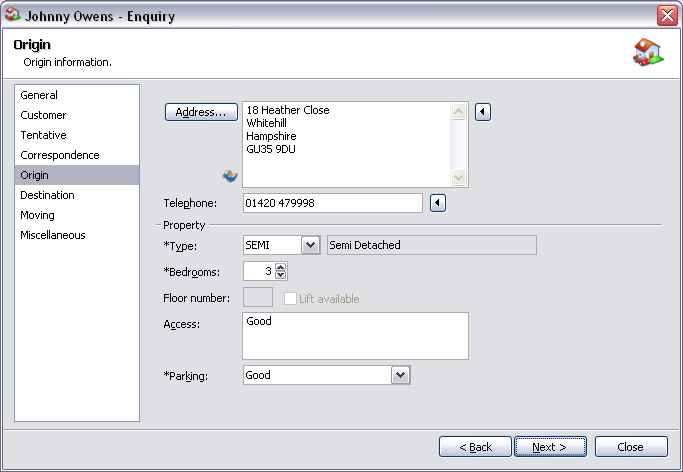
Origin Fields:
| Address | Origin address. Press the  button to import either a correspondence, destination or warehouse address. button to import either a correspondence, destination or warehouse address.Press the  button to map origin address or click on Actions - Map Origin Address. button to map origin address or click on Actions - Map Origin Address. |
| Telephone | Telephone number of origin address. Press the button to import a customer telephone number. |
Property Fields:
| Type | Property type at origin address and description of property. |
| Bedrooms | Size of property at origin address. |
| Floor number | Floor number at origin address (dependant on property type). |
| Lift available | Lift available at origin address (dependant on property type). |
| Access | Access at origin address. |
| Parking | Parking at origin address. |
| Back | Return to the previous page. |
| Next | Move to next page in the sequence. |
| Close | Close window. |
TIP If 'Contract Work' has been ticked and a corporate company has been selected on the Customer tab, when importing an address you will have an additional option to import the corporate's correspondence address. If the origin address is in a postal code you would like to prospect, then pressing CTRL+O will automatically add the outcode section of the postal code to the prospecting file. |
Page url: http://help.moveadminister.co.uk/wizardcustomerorigin.htm
