|
Navigation: Appointments > Open Appointment |

|

|

|

|
|
Navigation: Appointments > Open Appointment |
|
|
|
|


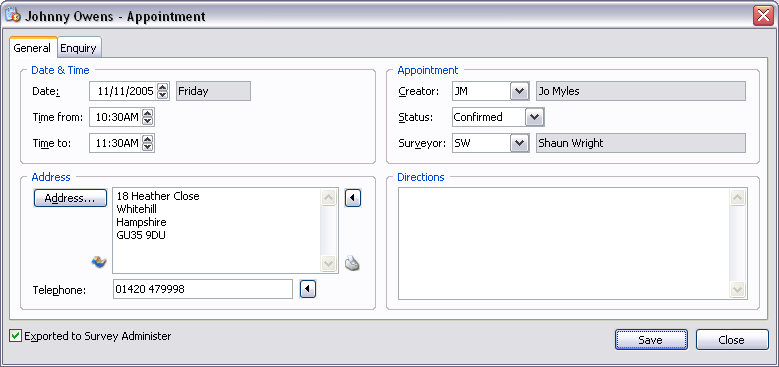
Date & Time Fields:
| Date | Appointment date and day of week. |
| Time from | Appointment time from. |
| Time To | Appointment time to. |
Address Fields:
| Address | Appointment address. Press the  button to import a customer address. button to import a customer address.Press the  button to map appointment address or click on Actions - Map Appointment Address. button to map appointment address or click on Actions - Map Appointment Address.Press the  button to print an address label or click on Actions - Address Label. button to print an address label or click on Actions - Address Label. |
| Telephone | Telephone number of origin address. Press the button to import a customer telephone number. |
Appointment Fields:
| Creator | Initials of creator and name of user. |
| Status | Appointment status. |
| Surveyor | Initials of surveyor and name of surveyor. |
Directions Fields:
Directions to appointment address.
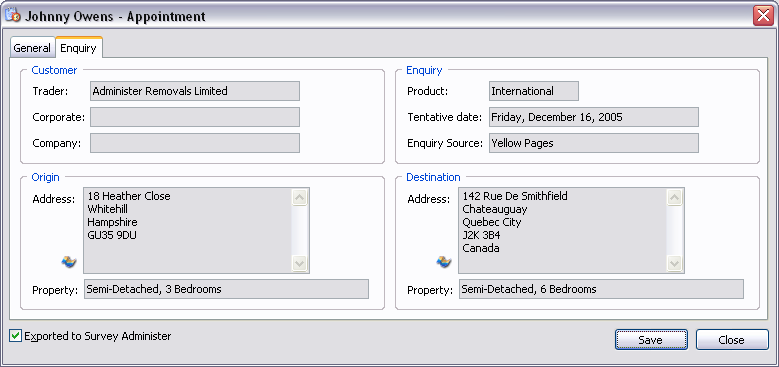
Customer Fields:
| Trader | Name of trading company. |
| Corporate | Name of company. |
| Company | Name of company. |
Origin Fields:
| Address | Origin address. Press the button to map origin address or click on Actions - Map Origin Address. |
| Property | Description of property. |
Enquiry Fields:
| Product | Product type. |
| Tentative date | Tentative moving date. |
| Enquiry Source | Description of enquiry source. |
Destination Fields:
| Address | Destination address. Press the button to map destination address or click on Actions - Map Destination Address. |
| Property | Description of property. |
| Exported to Survey Administer | Exported to Survey Administer. |
| Save | Close window and save any changes you have made. |
| Close | Close window. |
TIP If the appointment address is in a postal code you would like to prospect, then pressing CTRL+O will automatically add the outcode section of the postal code to the prospecting file. |
Page url: http://help.moveadminister.co.uk/updateappointment.htm
