|
Navigation: Accounts > Open Accounting Activity > Open Invoice |

|

|

|

|
|
Navigation: Accounts > Open Accounting Activity > Open Invoice |
|
|
|
|


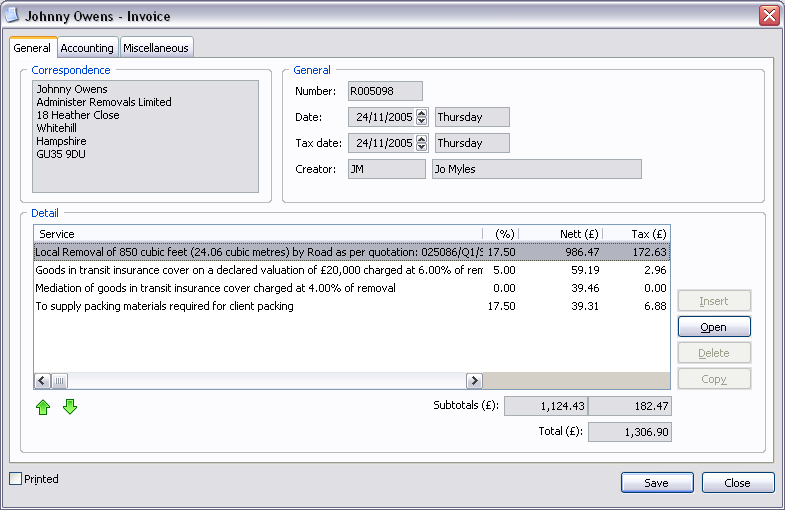
Correspondence Fields:
| Address | Correspondence address. |
General Fields:
| Number | Invoice number. |
| Date | Invoice date and day of week. |
| Tax date | Invoice tax date and day of week. |
| Creator | Initials of creator and name of user. |
Detail Controls:
| Insert | Insert detail. |
| Open | Open the highlighted detail. |
| Delete | Delete the highlighted detail. |
| Copy | Copy the highlighted detail. |
Invoice Fields:
 | Move highlighted detail up the order. |
 | Move highlighted detail down the order. |
| Subtotals | Total nett amount and total tax amount. |
| Total | Total amount. |
| Printed | Printed. |
TIP The Insert, Delete and Copy buttons will only appear when inserting an invoice. |
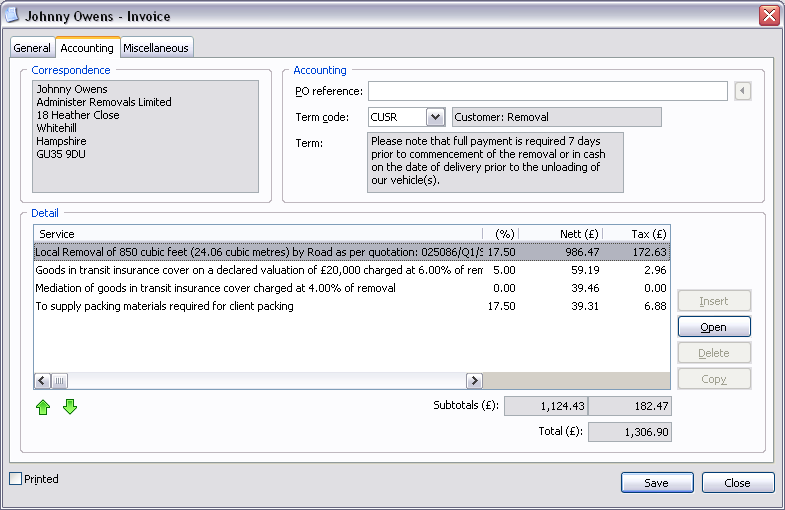
Accounting Fields:
| Po reference | Purchase order reference. Press the  button to import customer purchase order reference. button to import customer purchase order reference. |
| Term code | Payment term code and description of payment term. |
| Term | Payment term. |
TIP The Import button will only display if the customer has a purchase order reference entered in accounting options (see - Accounting Options). |
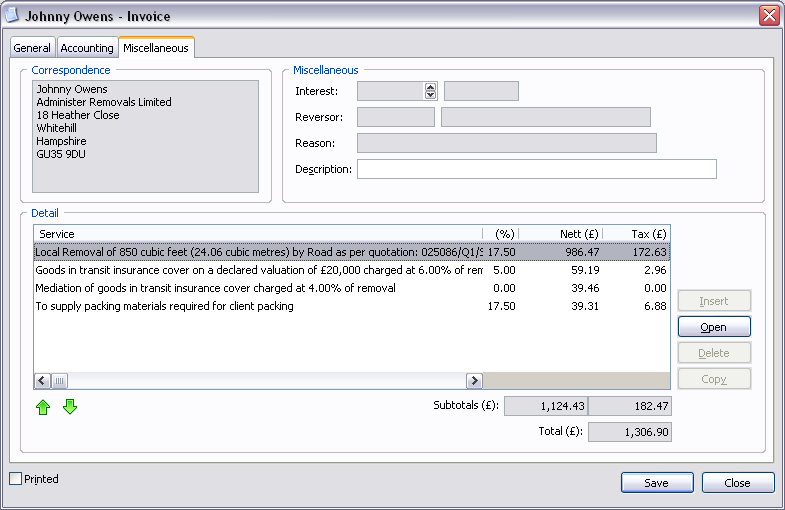
Miscellaneous Fields:
| Interest | Date of interest charge and day of week. |
| Reversor | Initials of reversor and name of user. |
| Reason | Reason for reversal. |
| Description | Description of invoice/credit. |
| Save | Close window and save any changes you have made. |
| Close | Close window. |
