|
Navigation: Appendix > Menu's > Tools Menu > Import Outlook Enquiry |

|

|

|

|
|
Navigation: Appendix > Menu's > Tools Menu > Import Outlook Enquiry |
|
|
|
|
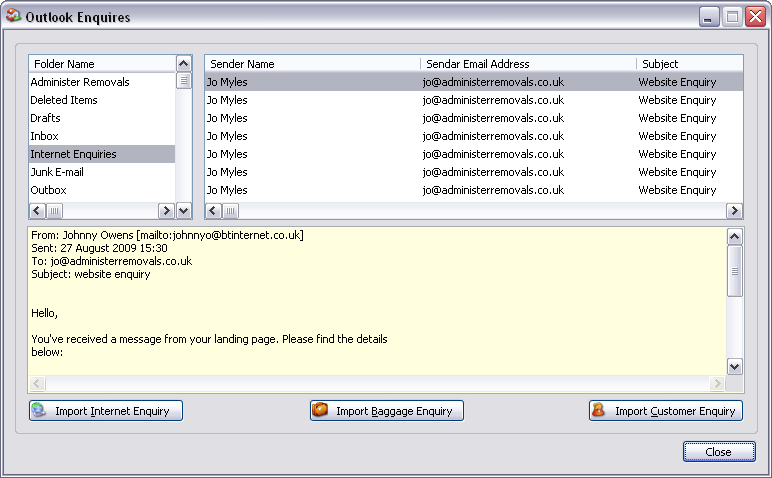
Outlook (from left to right, top to bottom) Display:
Outlook folders browse.
Outlook emails for the highlighted folder.
Email text.
Outlook Enquiries Controls:
| Import Internet Enquiry | Import the highlighted outlook email into an internet enquiry. |
| Import Baggage Enquiry | Import the highlighted outlook email into a baggage enquiry. |
| Import Customer Enquiry | Import the highlighted outlook email into a customer enquiry. |
| Close | Close window. |
TIP The outlook folder is automatically set to the default import folder (See - System Defaults). |
Page url: http://help.moveadminister.co.uk/importoutlookenquiry.htm
