|
Navigation: Options > Archive > Booking Prompts > Browse Booking Prompts |

|

|

|

|
|
Navigation: Options > Archive > Booking Prompts > Browse Booking Prompts |
|
|
|
|
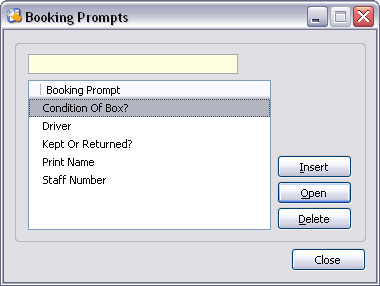
Controls:
| Locator | Locate booking prompt. |
| Insert | Insert booking prompt. |
| Open | Open the highlighted booking prompt. |
| Delete | Delete the highlighted booking prompt. |
| Close | Close window. |
Xplore features are available from this browse.
TIP A '+' symbol identifies that a booking prompt has been deleted from Move Administer, but rather than being physically deleted it is merely hidden away, which maintains referential integrity of data and allows you to undelete at a later date. To physically delete the booking prompt choose to delete the booking prompt again. |
Page url: http://help.moveadminister.co.uk/browsebookingprompt.htm
